
Minimalist Home Office Setup Ideas That Boost Focus: Simple Ways to Create Your Perfect Workspace
ORGANIZATION
12/1/20258 min read
A cluttered desk leads to a cluttered mind, and nowhere is this more true than in your home office. A minimalist home office setup eliminates visual distractions and unnecessary items, creating a clean environment that helps your brain focus on the work that actually matters. I've found that when I strip away the excess and keep only what I need, my productivity goes up and my stress levels drop.
The beauty of minimalist design isn't about having an empty room or living like you just moved in. It's about being intentional with every piece of furniture, every organizational tool, and every decorative element you choose. Each item should either serve a clear purpose or bring you genuine calm.
In this guide, I'll walk you through the essential principles that make a minimalist office work, how to design a setup that fits your space and work style, and the smart storage solutions that keep clutter from creeping back in. You'll also discover the small finishing touches that transform a bare room into a focused, inviting workspace where you actually want to spend your day.


Core Principles of a Minimalist Home Office
A minimalist home office operates on three foundational elements: it reduces visual noise to sharpen concentration, eliminates physical and mental clutter that disrupts workflow, and uses deliberate color choices to maintain mental clarity throughout the workday
The Benefits of Minimalism for Focus
I've found that minimalism directly impacts my ability to concentrate by removing competing visual stimuli from my field of vision. When my desk contains only my laptop, a notebook, and a single pen, my brain doesn't waste energy deciding what to look at or process next.
This approach reduces cognitive load measurably. Research shows that excess objects in a workspace can decrease productivity by up to 40% because our brains continuously catalog and assess each item, even subconsciously.
A minimalist workspace also speeds up my daily routines. I spend less time searching for supplies, cleaning surfaces, or reorganizing shelves. Everything has one designated spot, and nothing unnecessary occupies premium desk space.
The psychological benefits matter just as much. I feel less overwhelmed when I sit down to work because the environment signals calm rather than chaos. My stress levels drop when I'm not surrounded by piles of papers, random office supplies, or decorative items that serve no function.
Identifying Common Distractions
Visual distractions rank as the most significant focus killers in my workspace. Stacks of unread books, charging cables draped across surfaces, sticky notes covering my monitor, and colorful knick-knacks all pull my attention away from actual work tasks.
Digital distractions deserve equal attention. My phone sitting face-up on my desk, multiple browser tabs open, notification badges, and desktop clutter create constant interruptions. I've learned to hide my phone in a drawer and use single-purpose apps during work sessions.
Physical clutter generates mental clutter through a straightforward mechanism: each item represents an unmade decision or unfinished task. That unopened mail reminds me of bills, those product samples trigger thoughts about trying them later, and scattered business cards represent networking follow-ups I haven't completed.
Noise distractions often hide in plain sight. I noticed my productivity dropped near windows facing busy streets, in rooms where HVAC systems cycled loudly, or when family members moved through adjacent spaces. Addressing these requires either relocation or sound management solutions
Choosing a Neutral Color Palette
I rely on neutral colors as the foundation of my minimalist workspace because they reduce visual stimulation and create a backdrop that doesn't compete for attention. White, beige, gray, and soft taupe make my mind feel settled rather than activated.
My current setup uses a neutral color palette of warm white walls, a light oak desk, and gray accessories. This combination maintains visual interest through subtle texture variations rather than bold color contrasts. The result feels cohesive without being sterile.
Black and white schemes work well for those who want maximum simplicity, though I find them too stark for extended work sessions. Adding one wood tone—whether light pine or darker walnut—introduces organic warmth that makes the space feel inhabitable.
I limit accent colors to one or two muted tones maximum. A sage green plant pot or a dusty blue desk lamp adds personality without overwhelming the senses. Bright reds, oranges, or yellows trigger alertness that can tip into overstimulation during long work periods.
Designing Your Minimalist Home Office Setup
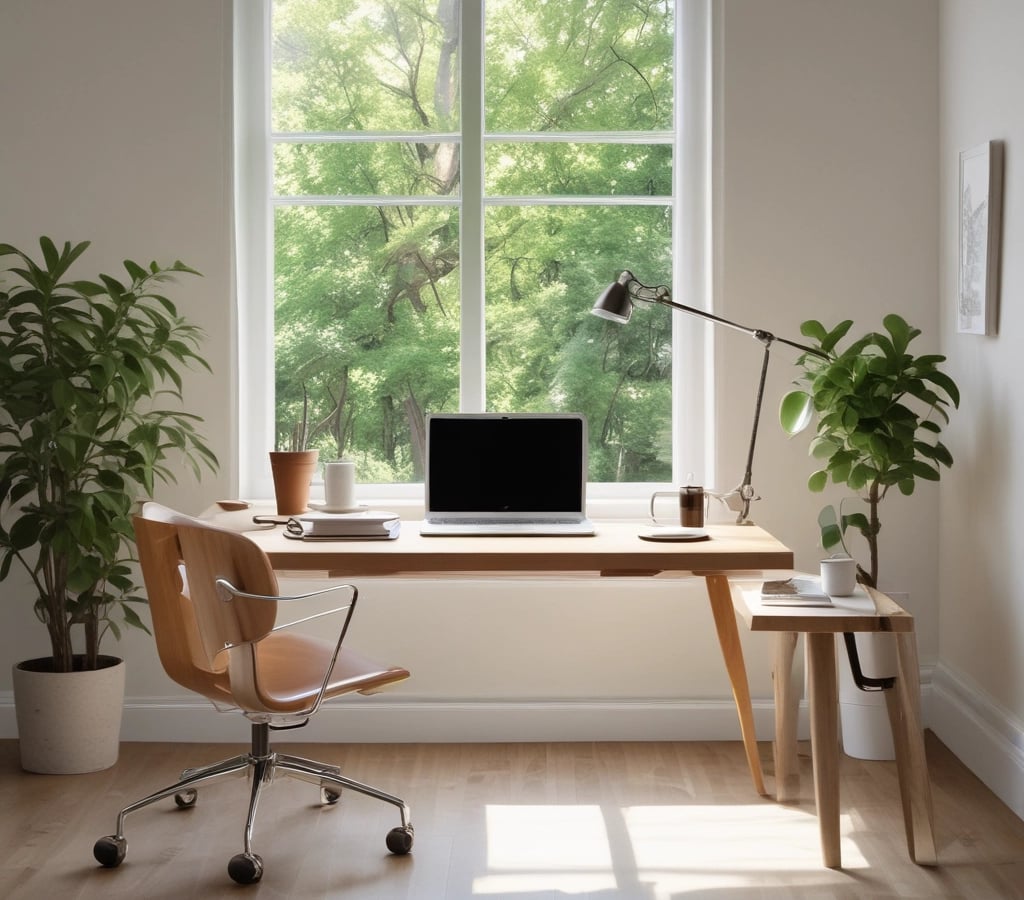
A well-designed minimalist office relies on natural light exposure, strategic placement of plants, furniture that serves clear purposes, and removing items that don't contribute to your work. These elements work together to create an environment that supports sustained concentration.
Maximizing Natural Light and Views
I always position my desk perpendicular or facing toward windows to get the most natural light throughout the day. This placement reduces eye strain and keeps me more alert compared to artificial lighting alone.
If you're working with limited window access, I recommend using sheer curtains instead of heavy drapes. They diffuse harsh sunlight while still letting plenty of brightness into the space. Light-colored walls amplify whatever natural light you do have by reflecting it around the room.
The view outside your window matters too. I've found that even a glimpse of the outdoors helps break up long work sessions. When possible, arrange your setup so you can glance up at trees, sky, or street activity without turning completely away from your screen.
Incorporating Greenery for a Refreshing Touch
I keep low-maintenance plants like pothos, snake plants, or ZZ plants on my desk or nearby shelving. These varieties thrive with minimal care and don't require constant attention during busy work periods.
A single medium-sized plant creates visual interest without cluttering your workspace. I prefer placing greenery slightly off to the side rather than directly in my line of sight. This positioning adds life to the room while keeping my primary work area clear.
Small planters in neutral tones blend seamlessly with minimalist aesthetics. Ceramic or concrete containers in white, gray, or black maintain the clean look while adding texture.
Balancing Functional Furniture and Space
My desk serves one purpose: providing a flat surface for my computer and essential work items. I chose a simple design without unnecessary drawers or decorative elements that would collect clutter.
An ergonomic chair is the one furniture piece where I don't compromise. It supports proper posture during long work sessions without dominating the visual space. I selected a design with clean lines in a neutral color that matches my overall scheme.
Storage solutions should be intentional. I use a single filing cabinet or floating shelf system to keep documents organized and off my desk surface. Each furniture piece needs to justify its presence by serving a specific function in my daily workflow.
Decluttering for a Calm Atmosphere
I limit my desk surface to my computer, one notebook, and a pen holder. Everything else goes into designated storage spots or gets removed from the office entirely.
Cable management makes an immediate visual difference. I use clips, sleeves, or a cable tray under my desk to keep cords out of sight. This simple step eliminates a major source of visual noise.
I perform a quick declutter every Friday afternoon. This weekly habit prevents papers, supplies, and random items from accumulating over time. Any object that hasn't been used in two weeks gets relocated to storage or discarded.
Digital declutter matters just as much as physical organization. I keep my desktop clean with only current project files visible and organize everything else into clearly labeled folders.


Smart Storage and Organization Strategies
I've found that effective storage keeps my minimalist office clutter-free while ensuring everything I need stays within reach. The right organizational systems eliminate visual distractions and create mental space for focused work.
Streamlined Cable Management Solutions
Cable clutter is one of the fastest ways to destroy the clean aesthetic of a minimalist workspace. I use cable clips mounted under my desk to route power cords and charging cables out of sight, keeping them organized and preventing that tangled mess that builds up over time.
Cable sleeves bundle multiple cords together into one neat line, which makes my setup look intentional rather than chaotic. I also rely on a surge protector with USB ports mounted to the underside of my desk, reducing the number of visible adapters and transformers.
For my monitor and laptop cables, I thread them through a desk grommet hole, which creates a single exit point and keeps everything contained. Velcro cable ties let me adjust lengths easily when I need to reorganize.
Floating Shelves for Vertical Storage
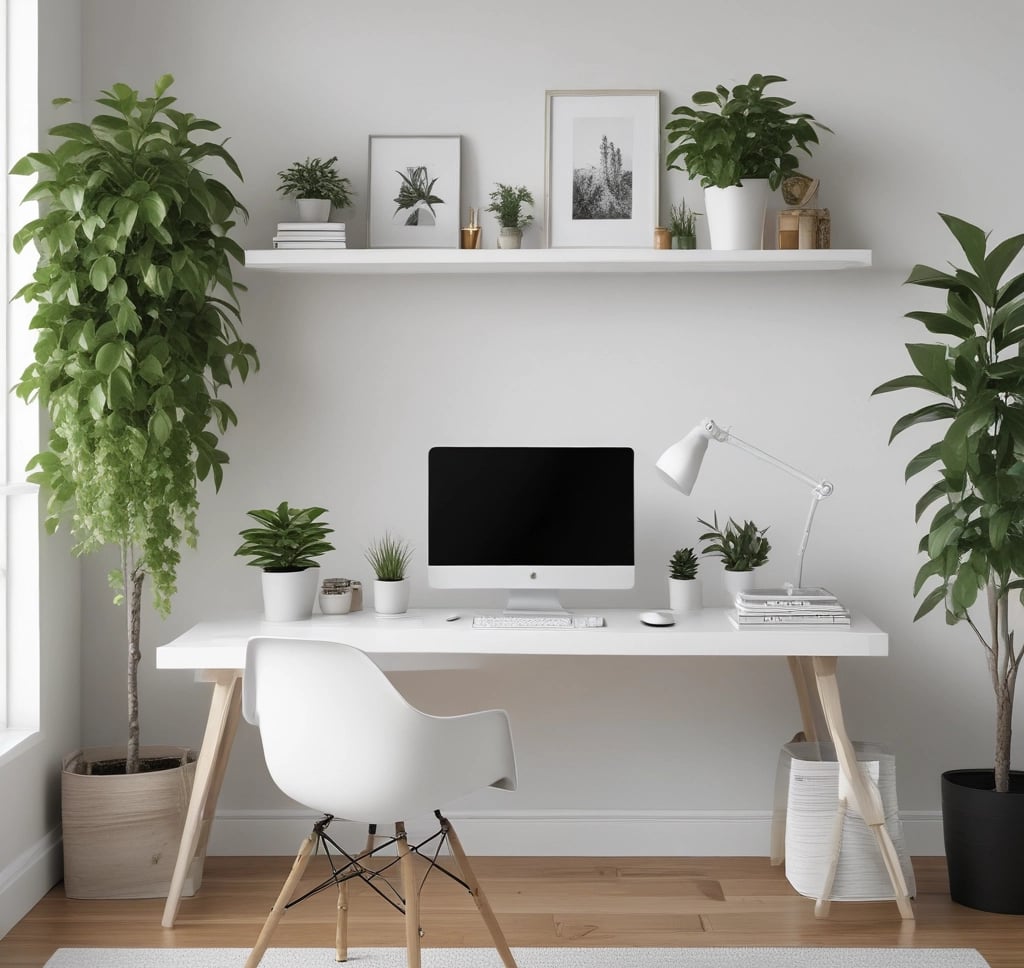
Floating shelves maximize my wall space without eating into the limited floor area of my office. I mount them at eye level to store reference books, a small plant, and essential supplies I access regularly.
The key is keeping these shelves minimal—I stick to items I actually use rather than decorative clutter. Three to five carefully chosen objects per shelf maintains that clean look while serving a practical purpose.
I prefer wood or white shelves that blend with my wall color, creating visual continuity. Shallow shelves work better than deep ones because they prevent me from stacking items multiple rows deep, which defeats the purpose of easy access.
Under-Desk and Hidden Storage Ideas
The space beneath my desk holds surprising storage potential when used strategically. I installed a slim drawer unit on wheels that tucks completely under my work surface, hiding office supplies and paperwork from view.
A small filing cabinet doubles as a leg rest while keeping important documents organized in hanging folders. I label everything clearly so I can grab what I need without rummaging through multiple drawers.
Magnetic containers stuck to the metal legs of my desk hold paper clips, thumb tacks, and other small items that would otherwise create surface clutter. A shallow tray attached under my desktop with adhesive mounts stores my notebook and pens when I'm not using them, keeping my work surface completely clear.
Finishing Touches for a Focused Environment
The final elements of your workspace—from seating to accessories to daily maintenance—determine whether your minimalist setup actually supports sustained concentration or becomes just another space that accumulates clutter.
Choosing the Right Ergonomic Chair
I've learned that the chair is one purchase worth prioritizing in a minimalist home office. An ergonomic chair supports proper posture during long work sessions, which directly impacts my ability to stay focused without physical discomfort pulling my attention away.
When selecting a chair, I look for adjustable seat height, lumbar support, and armrests that let me position my arms at a 90-degree angle while typing. The chair should allow my feet to rest flat on the floor with my thighs parallel to the ground.
For minimalist aesthetics, I prefer chairs with clean lines in neutral colors like black, gray, or natural wood tones. Mesh backs work well for breathability while maintaining a streamlined look. Some ergonomic chairs come with excessive padding or bright colors that clash with a minimal design, so I avoid those options.
Curating Minimalist Office Accessories
I keep only accessories that serve a clear purpose on my desk. A simple desk lamp with adjustable brightness helps me control lighting without overhead fixtures that might cause glare on screens. I use a single pen holder or small tray for writing tools rather than letting them scatter across the surface.
My approach to working from home accessories follows a strict one-in, one-out rule. Cable management solutions like clips or sleeves keep cords hidden and prevent visual clutter. I've found that a small plant adds life to the space without overwhelming it—something like a snake plant or pothos in a plain ceramic pot.
Essential minimal accessories:
Desk lamp with dimmer control
Single storage container for pens
Cable organizers or clips
One small plant in neutral pot
Coaster for beverages
I avoid decorative items that don't contribute to my productivity. Each object on my desk should either be actively used or provide a specific psychological benefit like the calming effect of a plant.
Maintaining Your Distraction-Free Workspace
I spend five minutes at the end of each workday resetting my space. This means returning items to their designated spots, wiping down surfaces, and removing anything that doesn't belong in my office area.
Daily maintenance prevents the gradual accumulation of clutter that undermines minimalist home office ideas. I keep a small trash bin within reach and use it immediately rather than letting papers pile up. Any documents I need to keep go directly into a filing system, not onto my desk.
I review my workspace monthly to identify items that have crept in but don't serve my current needs. This regular audit helps me stay honest about what actually supports my focus versus what's just taking up space. When I notice my concentration slipping, the first thing I check is whether my environment has gotten too busy.